 Spotify to MP3 Downloader
Free Spotify to MP3 Downloader Online
Convert Spotify songs to MP3 in high quality for free.
Paste a Spotify link to download MP3 songs, playlists, and albums online.
Download Spotify tracks directly to your device for offline playback anytime.
Easy to use, reliable, and completely secure.
How to Download Spotify Music to MP3 for Free
Step. 1 : Open the Spotify App, or the Spotify website open.spotify.com in your browser, and login your Spotify account.
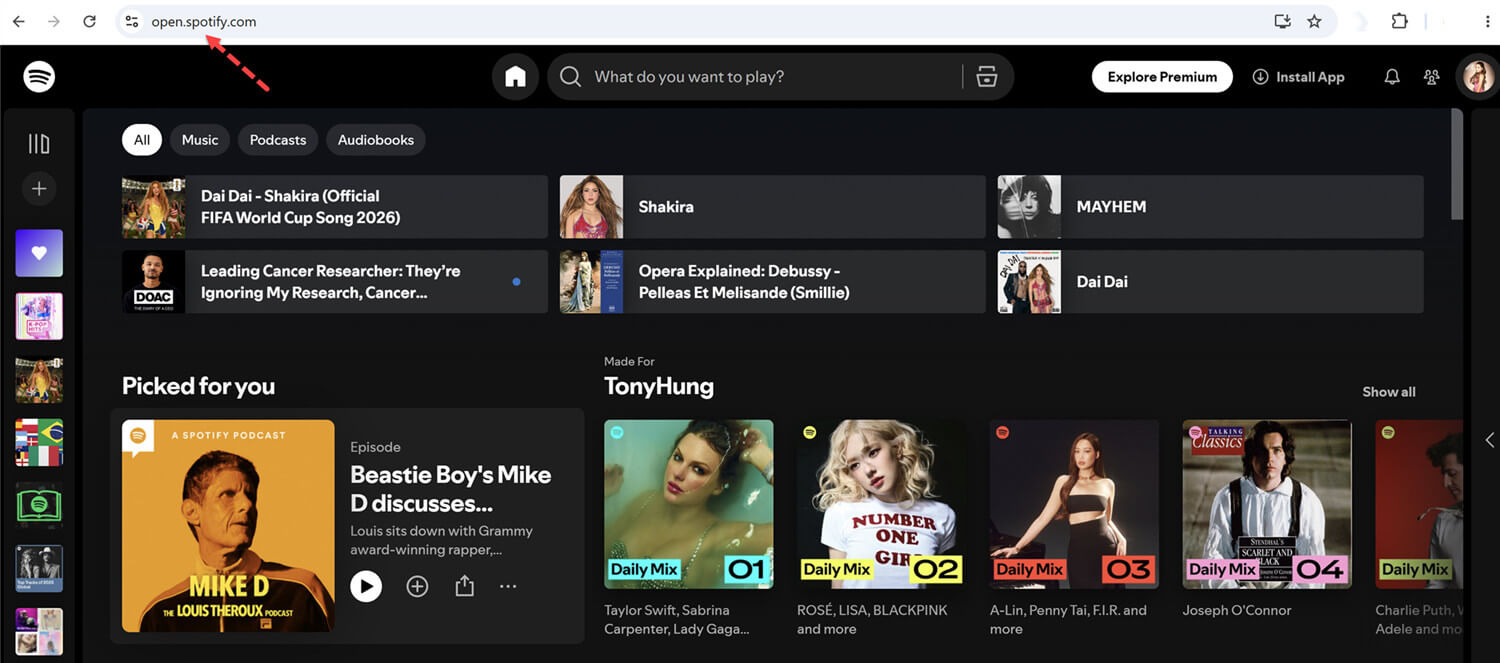
Step. 2 : Find the track, album, or playlist you want to download in MP3.
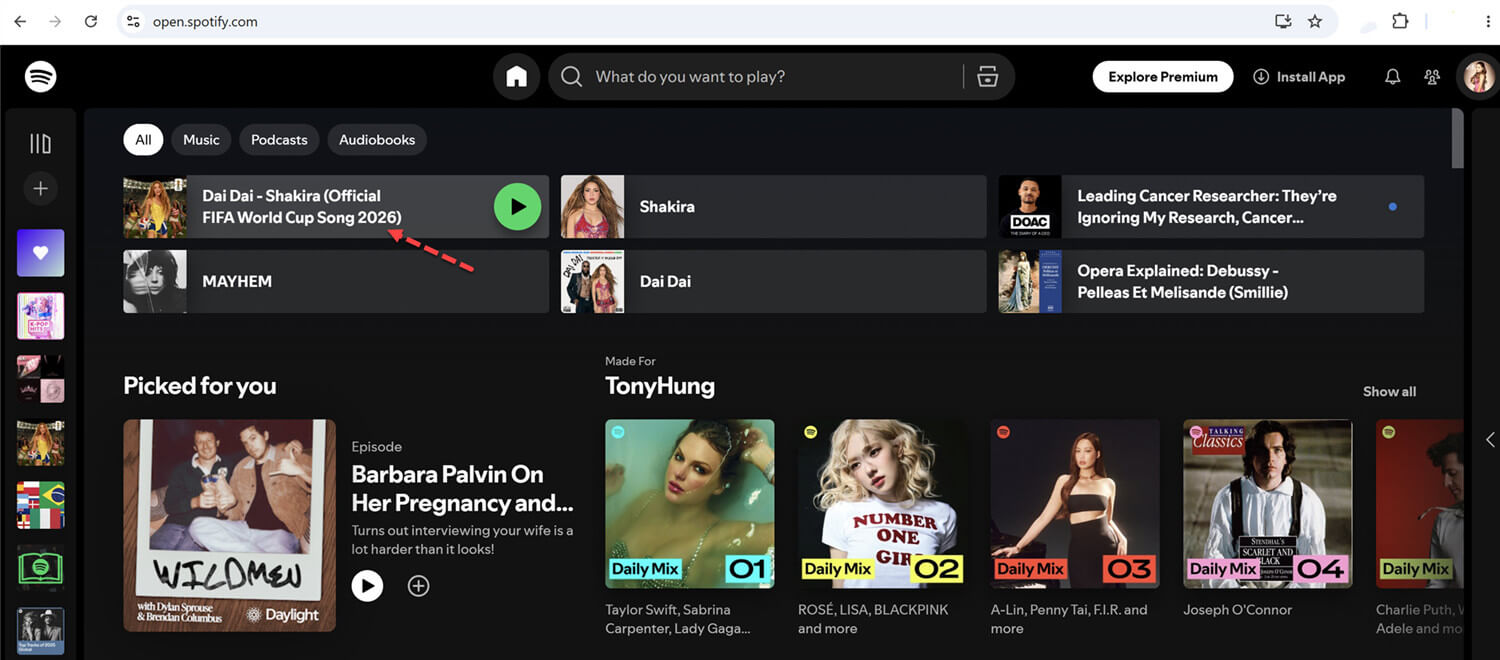
Step. 3 : Find a track you want to download, Click the ••• Three Dots and click Copy Link to Song option.
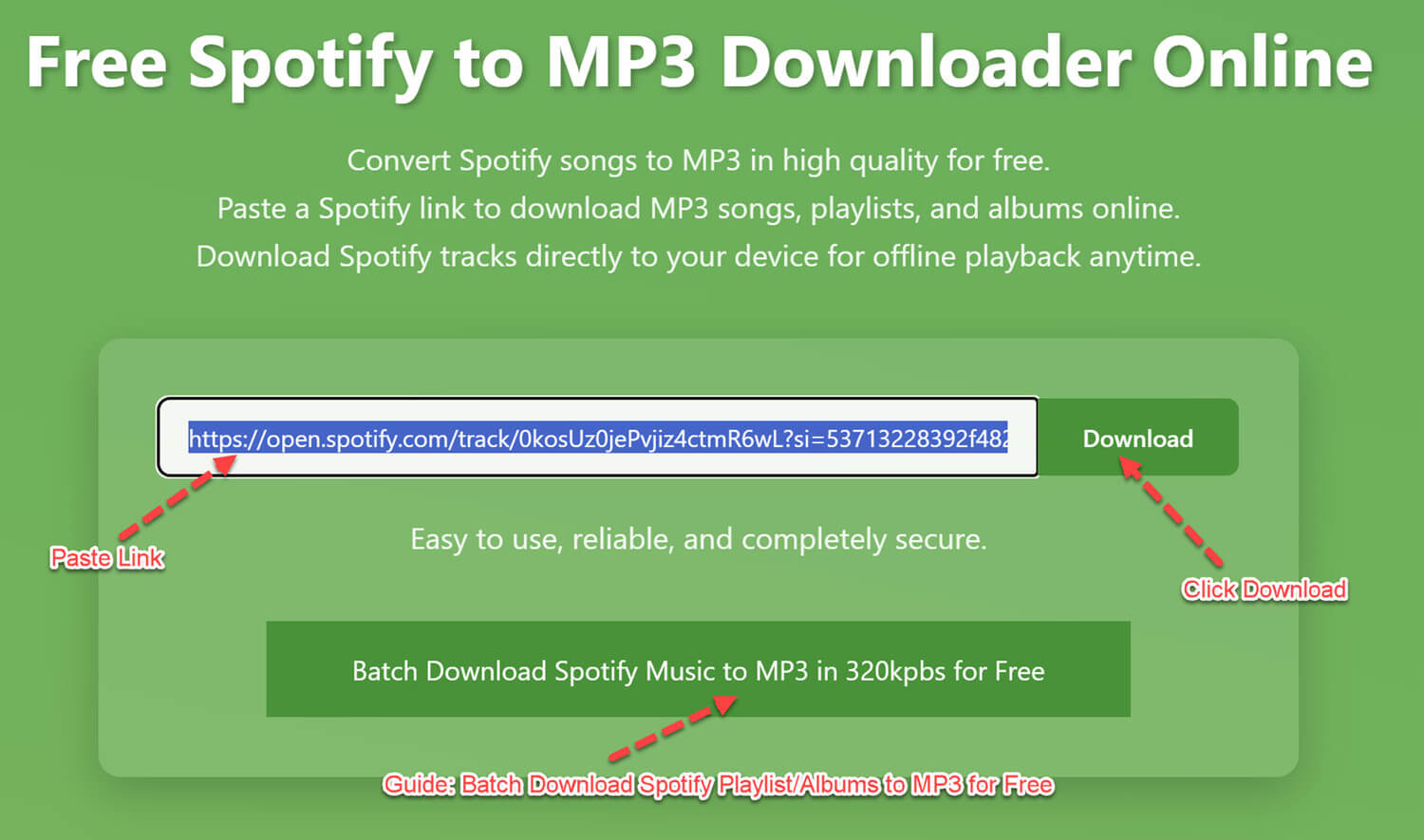
Step. 4 : Visit Spotify-Download.com Spotify Music Downloader to MP3, and then paste the link in the search box above, click "Download" button, and wait for the online downloader to process the link, then "Get MP3 Download".
Step. 5 : After downloading the MP3 music to your device, you can enjoy your music offline! 🎉
Tips : To batch download Spotify Playlist or Album to listen offline, view below simple guide
- Batch Download Spotify Playlist/Albums to MP3 for Free

Copy Music Link from Spotify
Open the Spotify app or Spotify website and find the song, album, or playlist you want to download, then copy the Spotify music URL by clicking the three dots next to the song/playlist/albums and selecting "Share" then click "Copy Link".
Paste the Spotify URL
Go to the SpotifyDownload website and paste the copied Spotify link into above search bar.
Click Download button
Click the “Download” button and wait a few seconds while the online downloader will analyze the Spotify link.
Download Spotify Music to MP3
The website will offers MP3 music in different quality for you, select your preferred quality(320kpbs, 256kpbs, 128kpbs) and click the "Download" button start to download Spotify songs to your device.
Best Free Online Spotify to MP3 Downloader
SpotifyDownload is a free online Spotify music downloader and Spotify to MP3 converter for Spotify users to download and convert Spotify music to MP3 format, without installing any apps. With this web-based downloader, you can free download Spotify songs, albums, and playlists directly to your computer or mobile device for offline listening. Unlike many other Spotify download websites with too many ads and redirects, our Spotify Downloader offers a clean, simple, and secure experience. Just copy the Spotify track or playlist link, paste it into the converter, and start downloading Spotify music without any subscription or extra cost.
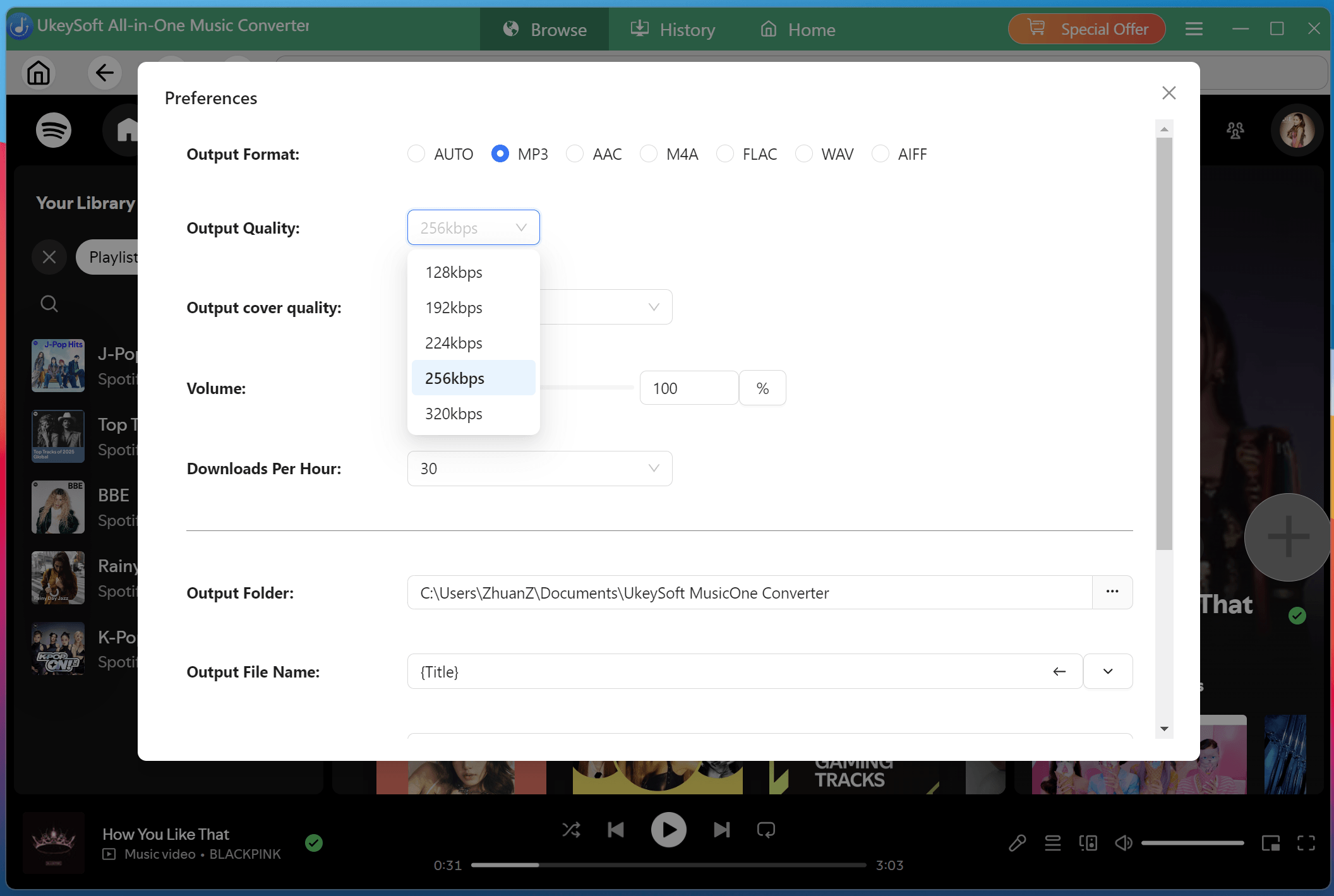
On this page, you will also learn how to batch convert Spotify songs, playlists, podcasts, and albums to MP3, M4A, AAC, FLAC, WAV, and AIFF using a professional desktop program like UkeySoft Spotify Music Converter.
Select the output format (MP3, WAV, M4A, AAC, FLAC, and AIFF) and set the output music quality.
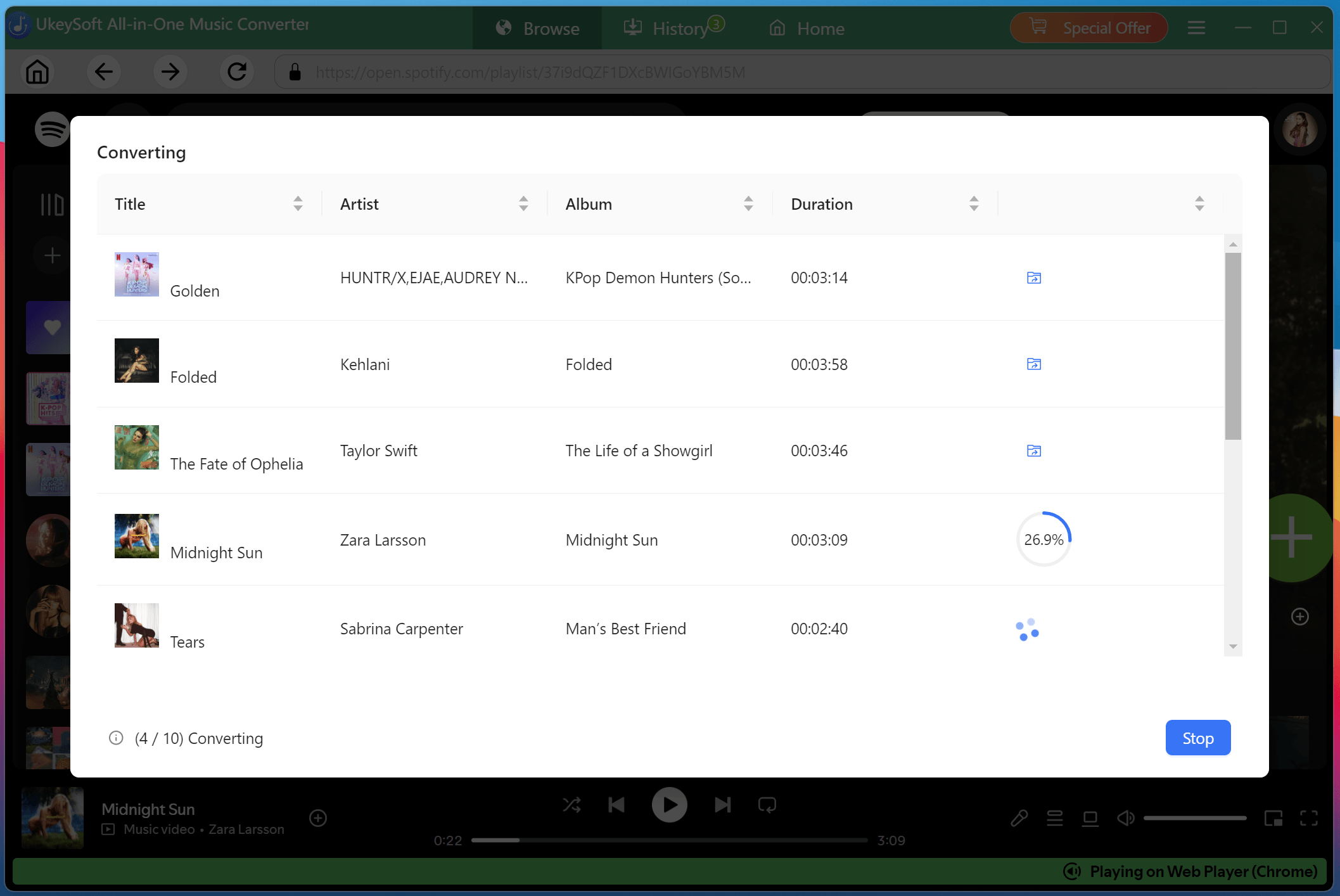
Start downloading and saving Spotify songs as MP3 files in batch
Easy and Free to Use
No need to install extra software or extensions. This online Spotify to MP3 converter works directly in your browser and lets you convert Spotify music for free with just a few clicks, perfect for all users.
Download Spotify Songs, Albums & Playlists
Unlike many online Spotify downloaders that only support single tracks, our tool allows you to download Spotify songs, complete albums, playlists, and even podcasts for offline playback.
Multiple Audio Formats
This Spotify music converter supports various output formats, including MP3, M4A, WAV, FLAC, AAC, and AIFF. You can easily play your downloaded Spotify music on phones, tablets, MP3 players, smart TVs, and more.
High Audio Quality
Many free Spotify download tools only provide low-quality audio output. Our Spotify to MP3 downloader supports high-quality downloads up to 320kbps MP3, helping you enjoy a better listening experience offline.
Fast Conversion Speed
Using advanced conversion technology, this Spotify downloader can process and save your favorite Spotify tracks quickly, reducing waiting time and improving efficiency.
Preserve ID3 Metadata
The converter automatically keeps important ID3 tag information, including song title, artist name, album, artwork, genre, and release date, making your music library easier to organize.
No Sign-Up Required
You can use this Spotify converter online without creating an account or subscribing. It works smoothly on both desktop and mobile browsers without registration.
Clean and Secure Interface
Unlike some websites full of pop-ups and redirects, our Spotify downloader provides a safe, stable, and ad-light experience, allowing you to download Spotify music without interruptions.
Our Reviews
Why Choose Us
Spotify Music Downloader Online is a free and user-friendly tool that helps Spotify users download songs, playlists, albums, and podcasts from Spotify for offline listening. It supports converting Spotify music to MP3, M4A, AAC, FLAC, WAV, AIFF that work on most devices and media players. Please note that downloaded Spotify content is intended for personal entertainment only.
Unlike traditional desktop converters, this online Spotify to MP3 downloader works directly in your browser and supports multiple platforms without requiring software installation. Whether you are using Windows, Mac, Android, iPhone, or tablet devices, you can quickly access the tool and save Spotify music in high-quality audio formats. Simply copy a Spotify song or playlist link, paste it into the converter, and start downloading within seconds. The simple design makes the whole process easy for both beginners and experienced users.
User Reviews
Daniel
January 18, 2026
I use this Spotify downloader almost every week to save my favorite Spotify playlists as MP3 files. The process is very simple, and the download speed is faster than many other online tools I tested. It also works well on my phone and laptop.
Olivia
December 6, 2025
This Spotify to MP3 converter helped me download Spotify songs for offline playback during travel. I like that it supports full playlists and keeps the song information like artist and album cover. The interface is clean and easy to understand.
Ryan
August 21, 2025
I wanted a simple way to convert Spotify music to MP3 for my car USB drive, and this tool did the job perfectly. No software installation is needed, and the audio quality sounds really good after downloading.
Frequently Asked Questions
Yes. Our online Spotify downloader is completely free to use. You don’t need to create an account, install software, or pay any subscription fee to convert Spotify music.
Yes. This Spotify converter supports downloading individual songs, albums, playlists, and even podcast episodes from Spotify. Simply copy the Spotify link and paste it into the converter.
Yes. The tool is web-based and works on most mobile browsers, including Chrome, Safari, Firefox, and Edge. You can use it on Android phones, iPhones, tablets, laptops, and desktop computers.
Our Spotify music downloader supports multiple output formats, including MP3, M4A, WAV, FLAC, AAC, and AIFF, allowing you to play Spotify music on many devices and media players.
Yes. The Spotify to MP3 converter supports high-quality audio downloads up to 320kbps MP3, helping you enjoy better sound quality offline.
Yes. Downloaded Spotify tracks can keep important metadata such as song title, artist, album name, artwork, genre, and release information for easier music management.
Yes. Once the Spotify songs are converted and saved as local audio files, you can play them offline on any compatible music player without needing the Spotify app.
After downloading Spotify songs as MP3 files, you can transfer them to USB drives, SD cards, MP3 players, smartphones, smart TVs, car audio systems, and other supported devices using a USB cable or file transfer app.
On computers, downloaded files are usually stored in the browser’s default “Downloads” folder. On mobile devices, you can typically find them in the “Files” app or the phone’s “Downloads” directory.
No. You can convert and download as many Spotify songs, albums, or playlists as you want using the online Spotify downloader.